360 tours
Connecting three aerial panoramas
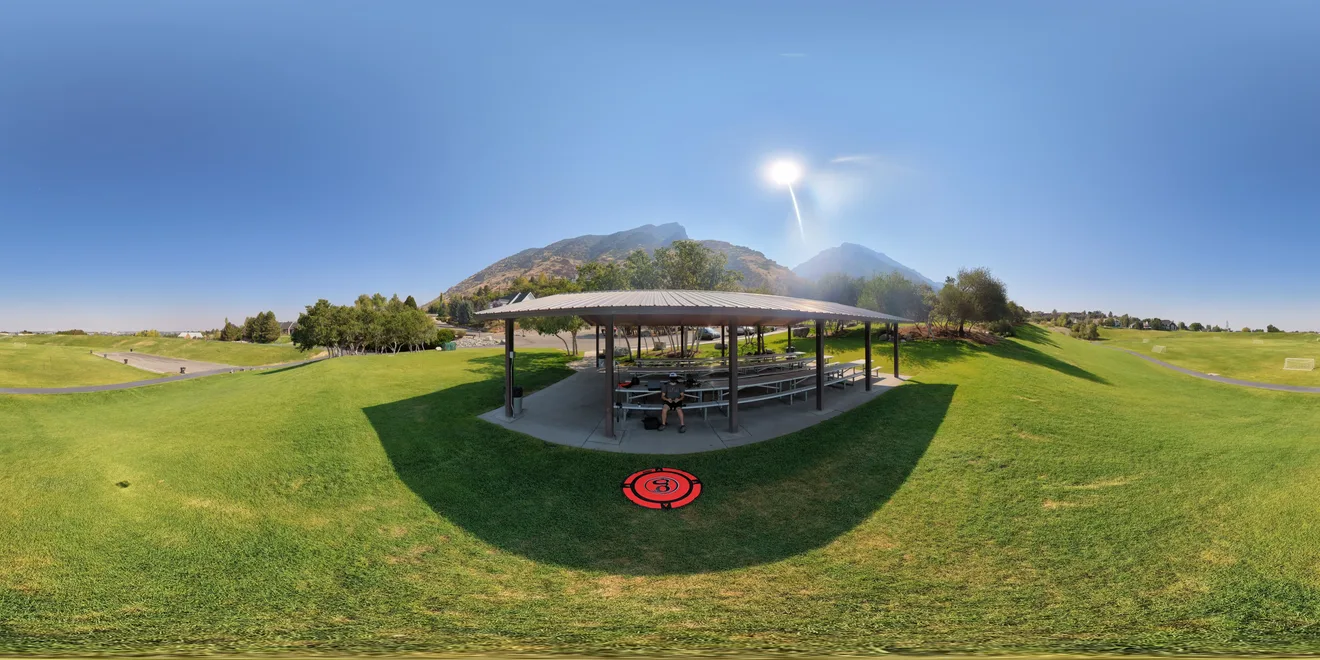
The Heath FPV tour uses a full-sphere image at each viewpoint. The viewer ties those viewpoints together so someone can explore a location from more than one angle.
Build each view as a scene
The demo has three scenes: Overview, Viewpoint, and Final View. Each scene points to its own equirectangular WebP under images/logo/360/. Pannellum wraps the image around the viewer, so dragging changes the direction you’re looking while keeping the camera at that capture point.
Link the views with hotspots
A hotspot has a pitch and yaw that set its position in the scene. It also names the scene it opens and supplies the direction to face on arrival. That last setting matters when you want the viewer to pick up the tour facing the next point of interest.
The scene buttons offer the same navigation outside the panorama. In the demo, they make it possible to switch views without having to look for the hotspot first.
Share the same tour by link or embed
The full tour page includes the surrounding project information. The ?embed=1 view uses the same scenes and hides the page chrome so the panorama can be placed inside another site.